BabyTV - Kids Videos & Songs
- 3.5
- Rating
- 1.00M
- Installs
- Free
- Price
 Analysis by App-foxy
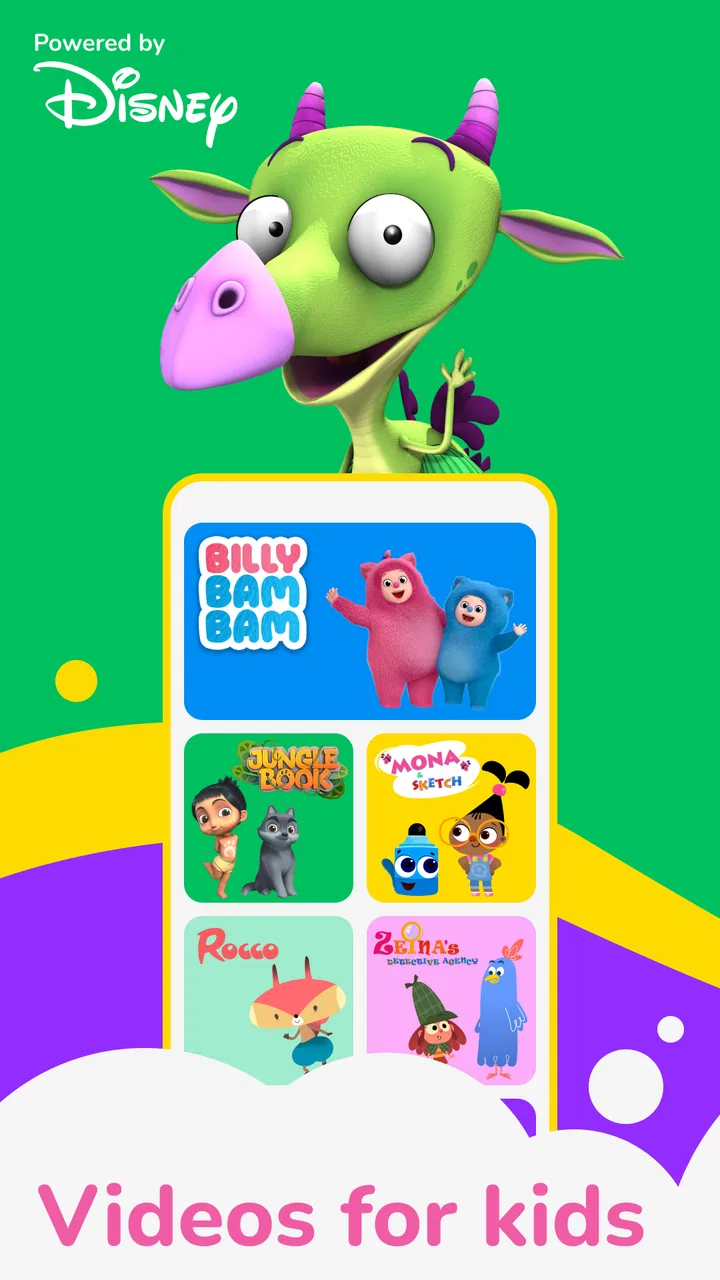
When a tired child needs something calm to do and I need a few uninterrupted minutes, BabyTV - Kids Videos & Songs is the kind of app I would consider first. It is a free parenting app from Disney built around children’s videos, songs, bedtime stories, and games, with an Everyone age rating. I found its appeal less in being an all-purpose entertainment platform and more in how quickly it can turn a restless moment into a simple, familiar routine.
That distinction matters. Parents are not always looking for a huge library or a complicated learning system. Sometimes the starting condition is a child waiting at a restaurant, winding down before sleep, or becoming impatient while an adult finishes an important task. BabyTV fits those short transitions well because its content is designed for young viewers rather than for older children seeking fast competition or elaborate challenges.
I also think it helps to set expectations early. This is not a replacement for shared play, reading together, or a carefully planned educational curriculum. It is a screen-based companion for particular moments. Used that way, it can be practical. Used as the only source of stimulation, it feels much less convincing.
You May Also Like

 Blood Strike: 2.5 Anniversary
Blood Strike’s Loadouts Turn Every Drop Into a Tactical Gamble
A close look at Blood Strike’s custom loadouts: how fast access to signature weapons reshapes its battle royale rhythm, rewards preparation, and narrows the gap between fights.

 Pandora - Music & Podcasts
Pandora’s Music Is Easy to Start, but Harder to Recover
Pandora’s strength is its low-effort path from a seed to a station. Its weak spot is how much confidence it asks you to place in connection, setup, and quiet recovery.

 8 Ball Pool
 Is Built on Rivalries, Rematches, and Routine
A close look at the rivalries, rematches, shared routines, and unanswered safety questions that turn a quick pool match into a persistent mobile community.

 Samsung Music
’s Quiet Strength Is Playing What You Already Own
Its reach comes less from spectacle than from dependable access to a personal library. That simplicity is both the app’s strongest retention engine and its ceiling.

 AccuWeather: Weather Radar
AccuWeather Review: A Quick, Clear Forecast for Everyday Decisions
For everyday plans, the best forecast is the one you can understand quickly. AccuWeather makes rain timing, radar, and local conditions easy to act on, with a few trade-offs.

 Hill Climb Racing
Why Hill Climb Racing Still Turns Crashes Into One More Run
A tiny car, a bumpy hill and one more upgrade: Hill Climb Racing keeps resurfacing because its simple chaos makes every near-miss feel personal.
More From Our News Desk



How a typical BabyTV routine works from need to outcome
I find a BabyTV routine works best when I decide what the child needs before opening the app: a song for a brief pause, a story for a quieter transition, or a game when they are ready to participate. Choosing one format and naming what comes next makes the screen time easier to end. That practical sequence also makes it easier to judge whether the app is helping in the moment.
Starting with the right moment
My first recommendation is to decide what the app is supposed to solve before opening it. If the goal is a brief distraction, a song or short video makes more sense than handing over the device without a plan. If the child is already overstimulated, the bedtime-story side is a better starting point than lively music. This small choice prevents the app from becoming an endless search through content.
A realistic example is a family preparing dinner. One parent is cooking, another is helping with homework, and a younger child starts asking for attention every few seconds. Opening the app and choosing a familiar song can create a manageable handoff: the child receives an activity, while the adult gets enough time to finish a safe, clearly defined task. The important part is that the app supports a transition rather than silently taking over the evening.
The same approach works while travelling. A parent can use a video or game during a waiting period, then close the app before the next activity begins. I would avoid presenting it as a reward for every minor inconvenience, because that can quickly make the child expect a screen whenever patience is required. It works better as one tool in a small collection of routines.
Moving through videos, songs, stories, and games
The content mix is the main reason to choose this app. Videos can provide passive viewing when a child is tired, songs are useful when the child wants to participate, bedtime stories suit a quieter transition, and games add a little interaction. I like that these formats serve different energy levels instead of forcing every situation into the same type of screen time.
In practice, I would begin with the least stimulating option that matches the child’s mood. A song can be a good bridge between waiting and activity because the child may clap, sing, or move along. A story is more suitable when the household is moving toward sleep. Games are better saved for moments when the child is alert and ready to make choices, rather than used immediately before bed.
One useful workflow is to create a predictable sequence without treating it as a formal lesson: one familiar song, one short viewing session, then a story or an offline activity. That sequence gives the child a clear ending. It also reduces the common problem of opening a video app and continuing to browse long after the original need has passed.
The strongest practical insight is to use BabyTV as a transition tool, not as background noise. When the parent chooses the format and decides what happens afterward, the app has a clear job. When it runs continuously in the background, it is harder to tell whether it is helping the child engage or simply filling silence.
Making the handoff easier for both parent and child
Most parents will not be the person holding the device every time. A grandparent, babysitter, older sibling, or co-parent may take over. That handoff is where many children’s apps become frustrating: the incoming adult does not know what was selected, the child wants something different, and the original plan disappears.
With BabyTV, I would keep the handoff verbal and specific. “One song, then shoes,” or “A story while we tidy up” is more effective than saying “You can watch for a while.” The child understands the outcome, and the next adult knows when to intervene. This also makes it easier to stop without making the closing moment feel arbitrary.
Another useful habit is to choose content before handing over the device. Browsing together can be part of the activity, but it is a poor choice when the adult is already rushed. Preselecting a video, song, story, or game avoids a long negotiation and keeps the child from treating the catalog itself as the entertainment.
I would also keep the device physically close to the responsible adult during short sessions. That makes it easier to notice when the child has lost interest, needs help, or is moving from watching to tapping randomly. The app can occupy a child, but it does not replace supervision, especially when the child is very young.
What the child gets from the experience
The result depends heavily on the format chosen. Songs can encourage repetition and participation, while stories provide a slower shared focus. Videos may be useful when the child needs to settle, and games can offer a more active role than simply watching. I would not assume that every item produces the same developmental benefit; the value comes from matching the content to the moment and, when possible, talking about it afterward.
That follow-up can be simple. Ask the child which character or song they remember, copy a movement from the video, or connect the story to something happening at home. This turns a solitary viewing period into a small conversation. It is one of the easiest ways to get more value from the app without needing extra tools or a formal teaching plan.
For bedtime, I would be especially deliberate. A story may help create a familiar wind-down pattern, but the glowing screen can still work against sleep for some children. I would lower the room’s activity, keep the session short, and move from the device to an offline goodnight routine. BabyTV can be part of bedtime; it should not become the entire bedtime process.
Where the workflow breaks down
The biggest weakness is the possibility of friction around stopping. Any collection of appealing children’s content can lead to “just one more” requests, particularly when songs, videos, stories, and games are all available in one place. Parents who need firm limits should establish the endpoint before starting and follow through consistently.
There is also a difference between a child who enjoys guided content and one who wants open-ended creativity. BabyTV is a better fit for watching, listening, light interaction, and routine-building than for drawing, constructing, writing, or inventing elaborate stories. If your child mainly wants creative tools, a drawing app, physical craft, or shared play will probably be more satisfying.
The in-app purchase range is another point to handle carefully. The app itself is free, while individual purchases can range from under a dollar to nearly sixty dollars. I would review purchase controls before allowing a child to explore independently, and I would not hand over the device during a rushed moment without knowing how purchases are handled on that device. A free download does not automatically mean every part of the experience is free.
Compatibility is worth checking as well. BabyTV requires Android 7.0 or later, so an older Android device may not be suitable. Families using iPhones or iPads should check the relevant Apple store listing for device compatibility before planning around it. This is a small step, but it prevents an awkward discovery when the app is needed immediately.
How it compares with familiar alternatives
Compared with general video platforms, BabyTV feels more focused on young children and family routines. A broad video service may offer a larger range of subjects, but that variety can make selection harder and expose the child to content that does not match the intended mood. BabyTV’s narrower identity is useful when the parent wants children’s material without turning the search into a separate task.
Compared with a dedicated learning app, it is less structured. You should not expect a carefully sequenced course, progress dashboard, or a clear lesson path from the experience described here. Its strength is flexibility: a parent can move from a song to a story or game based on the child’s immediate state. Its trade-off is that the adult has to provide the structure.
Compared with offline children’s television, the app offers more direct control over what happens next. A parent can choose a format suited to the moment instead of leaving a broadcast running. However, a book, puzzle, or conversation remains better when the goal is sustained attention without a screen. I would choose BabyTV for convenience and transitions, not automatically for every quiet period.
Who will find it worthwhile
I can recommend BabyTV most easily to parents of younger children who want a familiar collection of songs, videos, bedtime stories, and simple games in one parenting-oriented app. It is particularly useful for short waits, household transitions, and calm moments when an adult needs a little breathing room but does not want to rely on a completely general entertainment service.
It is also a reasonable option for families who share care between several adults. The content formats are easy to explain, and a simple routine can be passed from one caregiver to another. The app’s developer is Disney, and its broad reach is reflected in more than a million installs, while its average rating sits at 3.7 from around fourteen thousand ratings. Those figures suggest a widely used product with a mixed but substantial user response, not a universally perfect experience.
I would be more cautious if your priority is strict educational progression, deep parental reporting, creative production, or completely offline play. I would also skip it as a primary choice if your child becomes especially upset when screens end. In that case, a physical activity with a natural stopping point may create less conflict.
My final recommendation after using the workflow
BabyTV - Kids Videos & Songs works best when the parent starts with a clear need, selects a suitable format, explains the handoff, and decides what comes next. That workflow turns a free app into something more useful than an automatic babysitter. The songs, videos, stories, and games give families several ways to match the child’s energy, while the Everyone rating makes it approachable for a broad young audience.
The app is free to install, but the possible in-app purchases mean adults should take a moment to manage the device before independent use. It was released in February 2012 and remains aimed at a straightforward need: giving children accessible entertainment that can fit into everyday family routines. I would not judge it as a substitute for books, outdoor play, or personal attention.
My honest view is that BabyTV earns a place as a backup and transition app, especially for parents who want something more focused than a general video platform. Use one planned session, connect it to a real-world activity, and stop when the job is done. That boundary is what makes the experience helpful rather than merely convenient.
FAQs for BabyTV - Kids Videos & Songs
01What age group is BabyTV - Kids Videos & Songs suitable for?
BabyTV - Kids Videos & Songs is designed primarily for toddlers and young children aged 0-4 years. The app features a wide variety of educational content, songs, and videos that are specifically tailored to engage and entertain young minds while promoting learning through play.
02Is the content on BabyTV - Kids Videos & Songs available offline?
Yes, BabyTV allows you to download videos for offline viewing. This feature is particularly useful for keeping your child entertained during travel or in areas with limited internet connectivity. Simply download the desired videos when you have internet access and play them anytime, anywhere.
03Are there any in-app purchases or ads in BabyTV - Kids Videos & Songs?
The app offers a subscription model that provides access to its full range of content without advertisements. While there are no traditional in-app purchases, subscribing ensures a seamless and ad-free experience, allowing children to enjoy their favorite videos uninterrupted.
04How does BabyTV - Kids Videos & Songs ensure the content is educational?
BabyTV collaborates with child development experts to create content that promotes learning through fun. Each video and song is designed to teach fundamental concepts such as numbers, colors, shapes, and language skills, all while encouraging creativity and imagination in young children.
05Is parental control available in BabyTV - Kids Videos & Songs?
Yes, BabyTV includes parental control features that allow parents to manage what their children can access. Parents can set up profiles, select content appropriate for their child’s age, and monitor viewing habits to ensure a safe and suitable viewing environment.
Pros
- Engaging content for toddlers.
- Ad-free experience for kids.
- Easy-to-navigate interface.
- Offline access to videos.
- Safe
- child-friendly environment.
Cons
- Limited content without subscription.
- Requires internet for new downloads.
- Subscription can be pricey.
- No multi-language support.
- Lacks interactive features.

BabyTV - Kids Videos & Songs
Gallery